Turn a long web address into a short qr-th.com/r/ link with its own QR code. Copy it, share it, track clicks and change where it goes later.
📑 In this guide
Long links with tracking codes look messy in messages and are impossible to type. A short link fixes that: it turns them into something tidy like qr-th.com/r/4n6gjw, and you get a QR code for it too. This guide shows you how to make one with the link shortener in under a minute. All you need is the long link.
Shorten your link in 3 steps
1. Paste your long link
Open the link shortener. In the app, you can also go to Create and flip the switch at the top from Generator to Shorten URL.
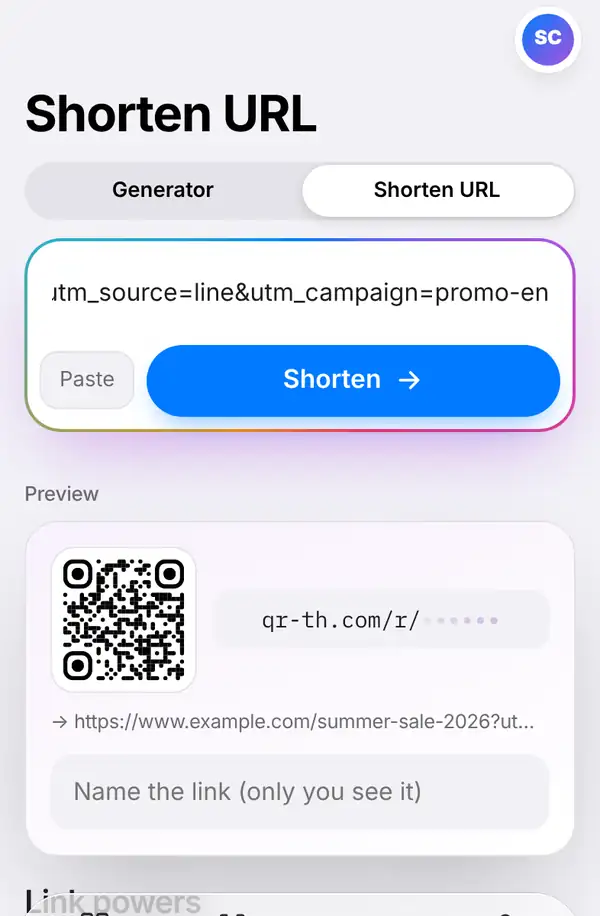
Paste your long address into the box – the Paste button does it in one tap – and press Shorten. Below, a preview shows what you're about to get. If you like, fill in Name the link (only you see it), such as "Summer sale poster", so you can find it easily in your list later.
2. Copy, share and track
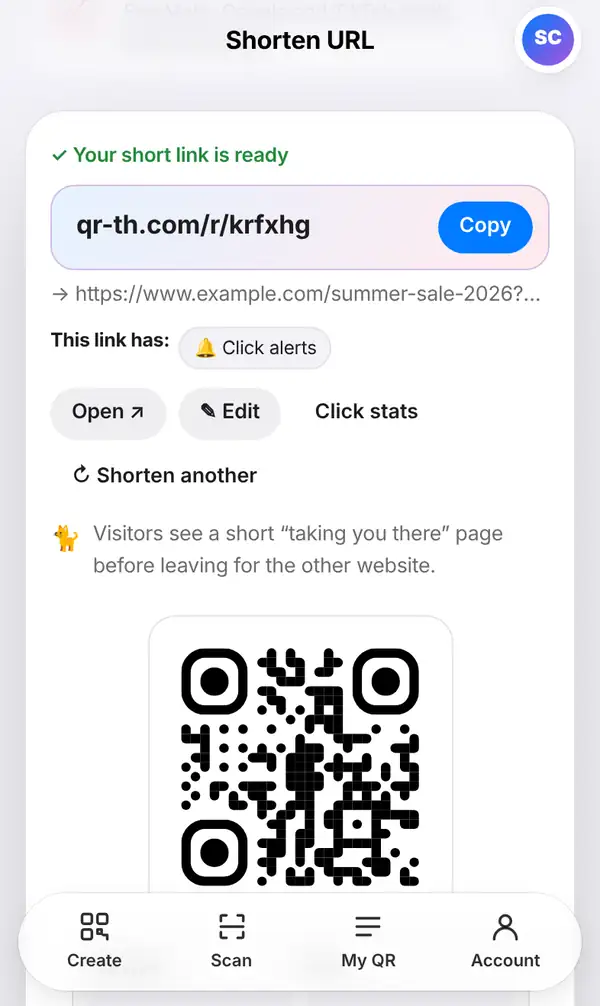
You'll see Your short link is ready with your new address. From here you can:
- press Copy and paste the link into a chat, post or email;
- press Open to try it yourself;
- press Edit to change where the link goes, without changing the short link itself;
- press Click stats to see how many times it has been opened.
Scroll down and you'll also find a QR code for the short link. Download it as PNG, JPG or SVG, or press Design QR to add colours and your logo. When you're done, Shorten another starts again.
3. Add extra powers (optional)
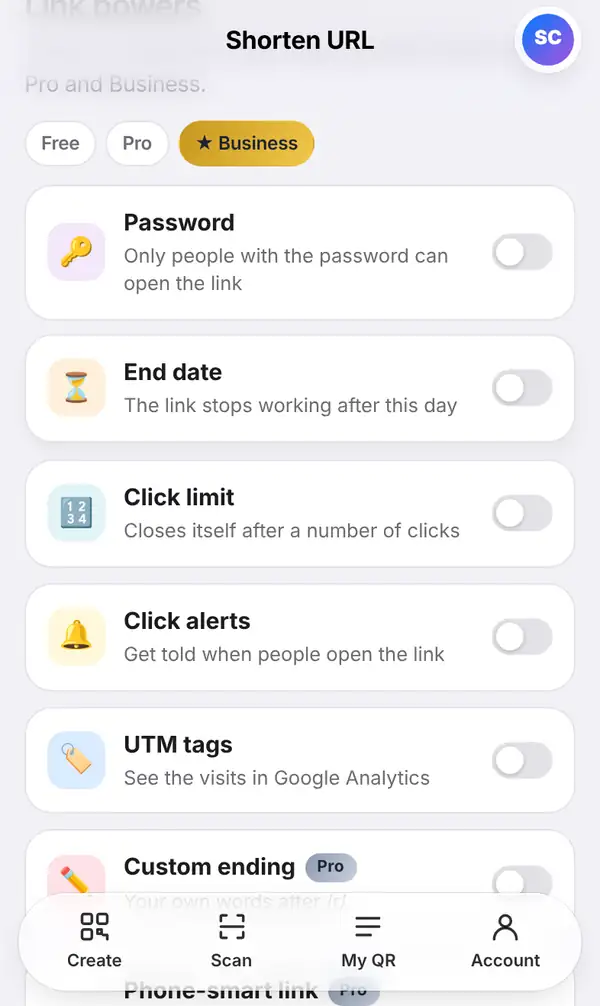
Under Link powers you can switch on extra options for your link:
- Password: only people who know the password can open the link.
- End date: the link stops working after a date you pick.
- Click limit: the link closes itself after a certain number of clicks.
- Click alerts: get notified when someone opens the link.
- UTM tags: add campaign tags so visits show up neatly in Google Analytics.
Pro and Business plans add more: a Custom ending (your own word after /r/), separate links for iPhone and Android, an A/B test, Your domain and Ad pixels. Labels on each option show which plan it needs, and pricing has the details.
If you're signed in, every short link you make is kept in My QR, so you can change its destination or check its clicks whenever you like.
Tips for better short links
- Give each link a private name; it saves time when you have many.
- Use a separate short link for each place you share it (poster, Facebook, LINE), then compare clicks.
- Before sharing, open the link once yourself to make sure it goes to the right page.
- For a printed QR code, a short link keeps the code simple, so it's easier to scan.
FAQ
Do short links expire?
Not unless you set an End date or a Click limit. Links kept in your account keep working while they're active.
Can I change where a short link goes?
Yes. Press Edit, or open the link in My QR, and type the new address. The short link and its QR code stay the same.
Is the short link free?
Yes, making a short link is free. Keeping links in your list and seeing click statistics needs a free account; how many you can keep depends on your plan.
Will people trust a short link?
Visitors see a brief "taking you to…" page showing where the link leads. Our guide are short links safe? explains more.
Shorten a link now. Next: how to edit a QR code and see scans.