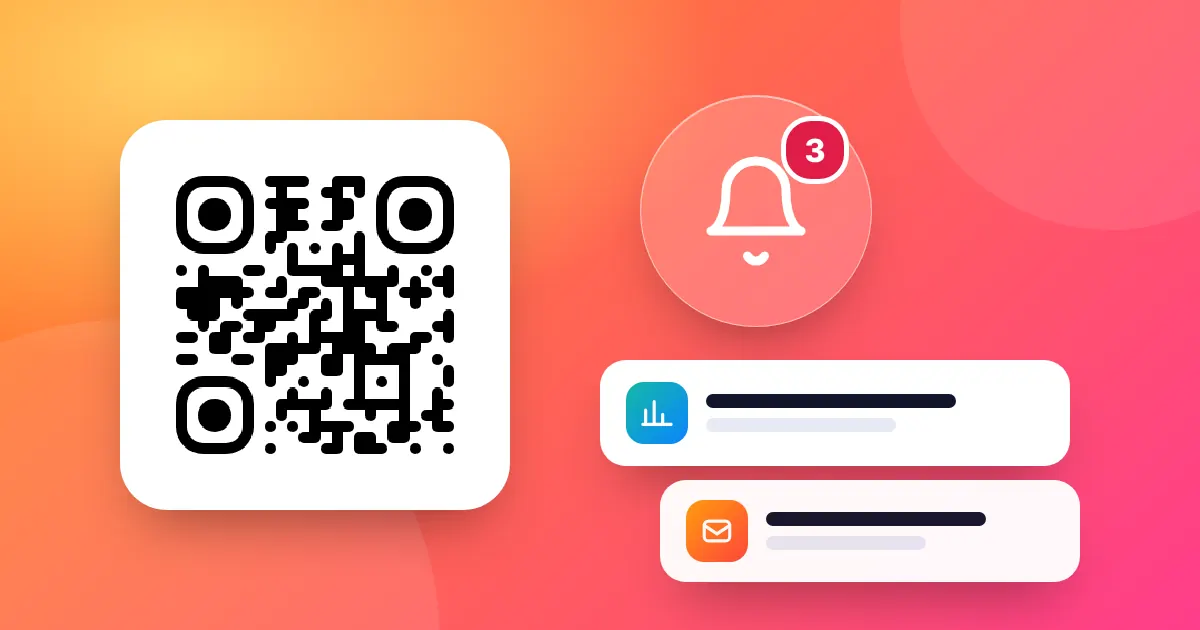
Get a QR code scan notification in the bell and an e-mail for every scan, with time, device and totals. Included on every QR-TH plan, even Free.
📑 In this guide
- What a QR code scan notification looks like
- Your notifications Inbox
- An e-mail for every scan
- Where each scan came from (Business)
- Why scan alerts help small businesses
- You stay in control
- Turn on scan notifications in 3 steps
- 1. Create a free account
- 2. Make a dynamic QR code
- 3. Check your switches in Profile
- FAQ
- Are QR code scan notifications free?
- Will I get flooded with e-mails?
- Does it work with static QR codes?
- Can I see who scanned my QR code?
A QR code scan notification tells you the moment someone scans your code. On QR-TH, every plan, including Free, is told when its dynamic QR codes are scanned, its short links opened and its Bio pages visited: in the bell at the top of the site and by e-mail for every scan. Make a dynamic QR code and you will know when your poster starts working.
What a QR code scan notification looks like
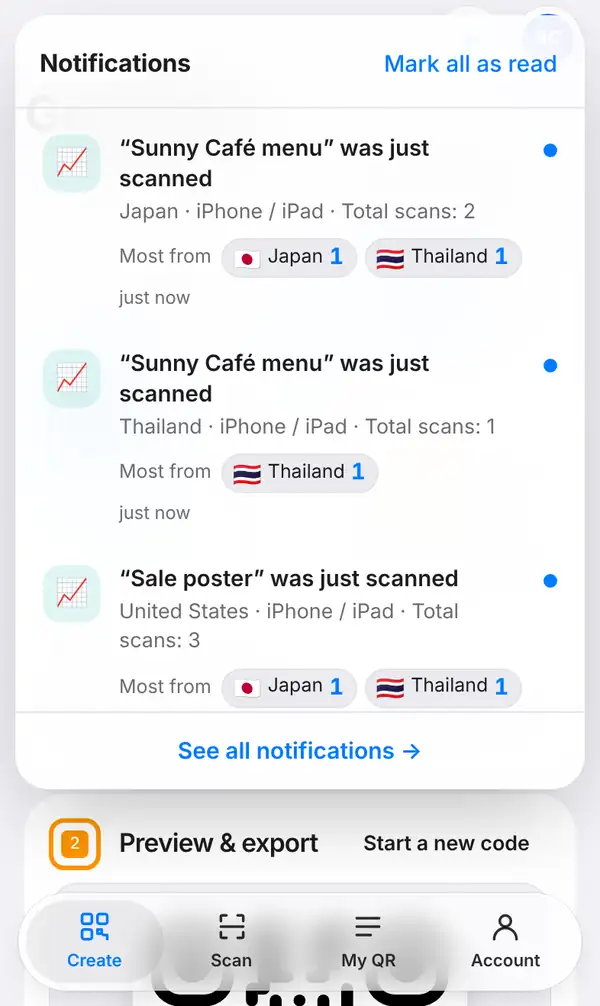
Tap the bell, Notifications, at the top of the site. Each notice reads like a short sentence, for example "Sunny Café menu" was just scanned, followed by the place, the device and the total number of scans so far. Small flags show the countries that scan that code the most.
The bell never floods you. You get at most one notice per code every few minutes, so even a busy lunch hour stays readable. Use "Mark all as read" to clear the list, or "See all notifications" to open the full inbox.
Your notifications Inbox
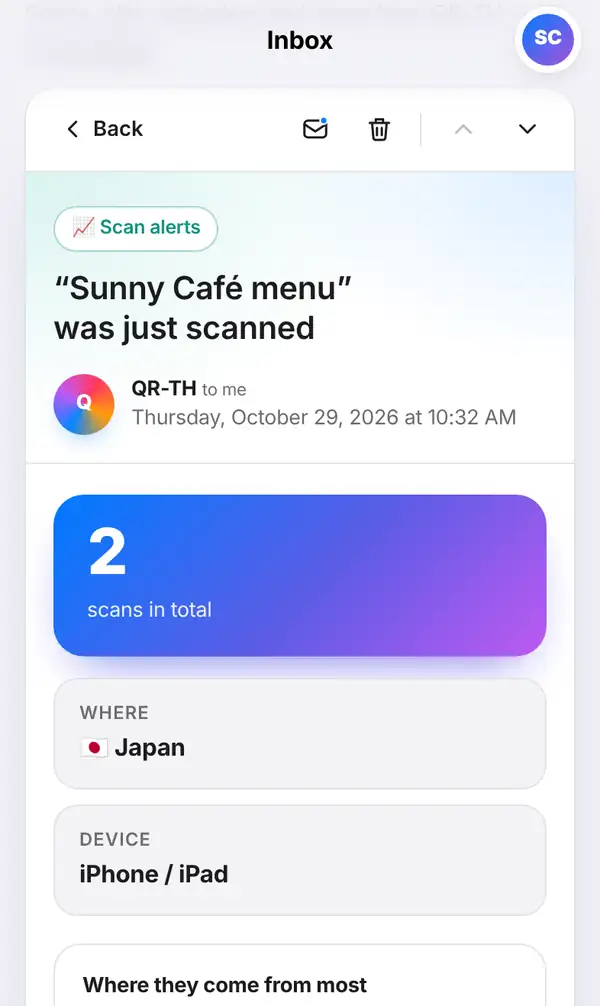
Every notice is also kept in your Inbox, which you find in the account menu and the dashboard. It reads like e-mail: the list of messages on one side and the open message on the other (on a phone you see one at a time). An open scan alert shows the total number of scans in big numbers and a button straight to that QR code's statistics.
You can search your messages, filter by Unread, mark a message as unread to come back to it later, or delete it.
An e-mail for every scan
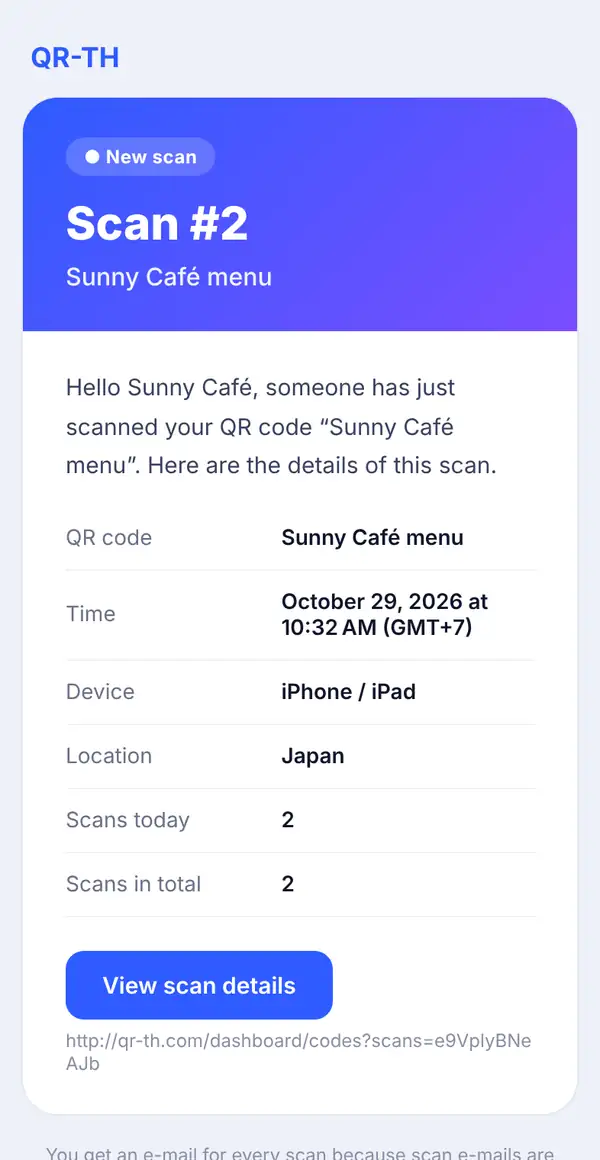
Prefer your e-mail? QR-TH sends an e-mail for every scan: "Scan #1", "Scan #2" and so on, so you can follow along from your phone's mail app. Each e-mail names the QR code, the time with its time zone, the device, the scans today and the scans in total, and has a button to the scan details. It arrives in your own language. For short links the e-mails speak of clicks instead of scans.
Where each scan came from (Business)
On the Business plan, every notice and e-mail also says where the scan came from: the city and country, plus the countries that scan the most. On Free and Pro the country is shown locked, with an offer to upgrade. Compare the plans on the pricing page.
Why scan alerts help small businesses
- Know a new campaign is working. You hang a new poster or hand out flyers in the morning. The first scan notice tells you people are actually using it.
- React to a busy day. A burst of scans on your menu QR means a full house. Time to call in an extra pair of hands.
- Check that printed codes still work. If a code on a product label or a shop window suddenly goes quiet, it might be damaged or covered. A scan from a test phone confirms it.
- Follow an event. Organisers see check-ins and programme scans as they happen.
You stay in control
You decide what you hear about. Switch each kind on or off any time in Profile:
- "Tell me in the bell when my QR codes are scanned, my short links are opened and my Bio pages are visited" controls the bell.
- "E-mail me when someone scans my QR codes" controls the e-mails.
On very busy days the scan e-mails pause after a daily limit and start again the next day, so your mailbox never overflows.
Turn on scan notifications in 3 steps
Create a free account
Sign up free. Notifications come with every plan.
Make a dynamic QR code
In the free QR code generator make a dynamic code, a short link or a Bio page, and print or share it.
Check your switches in Profile
Make sure the bell and e-mail options are on. The next scan will show up in the bell and in your inbox.
FAQ
Are QR code scan notifications free?
Yes. Every plan, Free, Pro and Business, gets notifications in the bell and an e-mail for every scan. Business adds the city and country of each scan.
Will I get flooded with e-mails?
No. The bell shows at most one notice per code every few minutes, and the e-mails pause after a daily limit on very busy days and start again the next day.
Does it work with static QR codes?
No. A static code goes straight to its content, so it cannot be counted. Only dynamic QR codes, short links and Bio pages send notifications.
Can I see who scanned my QR code?
No. You see the time, the device and, on Business, the approximate place. QR-TH never knows the person's name or phone number.
Start knowing when your codes work: create a dynamic QR code today. Read next: track QR code scans by country and how to edit a QR code and see scans.