Track QR code scans by country with QR-TH: a Countries list with flags, devices and time of day in Analytics, plus city and country in Business alerts.
📑 In this guide
- How QR code location tracking works
- Where each scan comes from, the moment it happens
- The Countries list in Analytics
- Who tracks QR code scans by country?
- Respect your customers' privacy
- Start tracking in 3 steps
- 1. Make a dynamic QR code
- 2. Put it where people scan
- 3. Open Analytics
- FAQ
- Is QR code location tracking exact?
- Which plan do I need to see countries?
- Can I track a static QR code?
- Can I share the statistics with a client?
You can track QR code scans by country with any dynamic QR code from QR-TH. Every scan is counted, and the Analytics page lists the countries your scans come from, with flags and numbers, next to devices and time of day. On the Business plan, each scan alert even names the city. Create a dynamic QR code to start.
How QR code location tracking works
A dynamic QR-TH code counts every scan before it takes people on to your content. The country, and roughly the city, comes from the internet connection of the phone that scanned.
That means it is approximate. It is never GPS, and it is never the person's name or phone number: QR-TH does not know who scanned. A tourist on hotel Wi-Fi in Bangkok shows up as Thailand, even if they live in Japan. Keep this in mind and the numbers become very useful for trends.
Static codes cannot be tracked, because they go straight to their content.
Where each scan comes from, the moment it happens
On the Business plan, every scan notice and e-mail names the city and country of the scan, and shows the countries that scan the most as bars. Open a message in your Inbox and you see the total in big numbers, a Where tile with the flag, a Device tile, and the list of top countries.
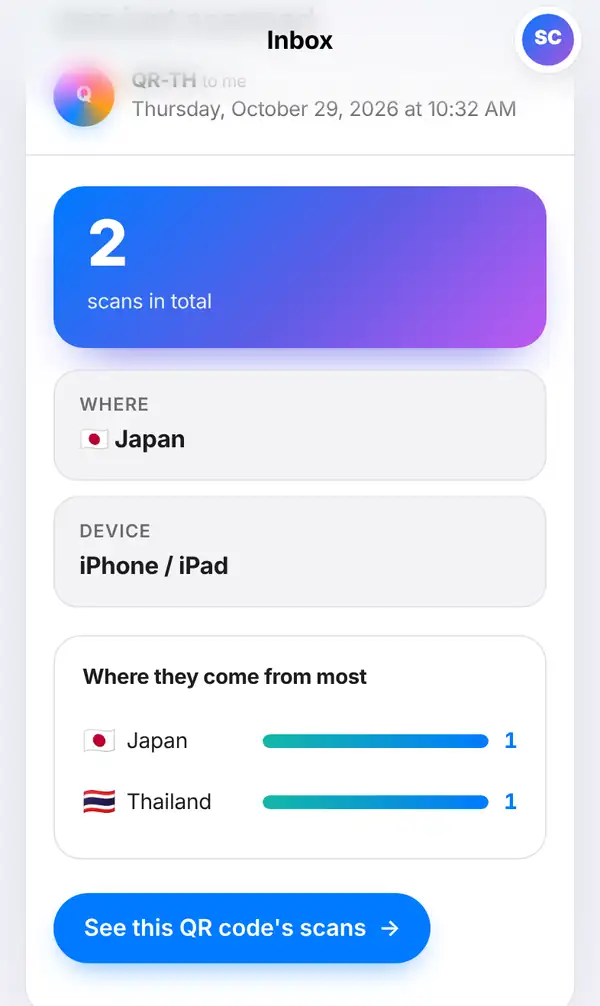
On Free and Pro, the country is shown locked in notices with an offer to upgrade, but the Analytics page below is there on every plan.
The Countries list in Analytics
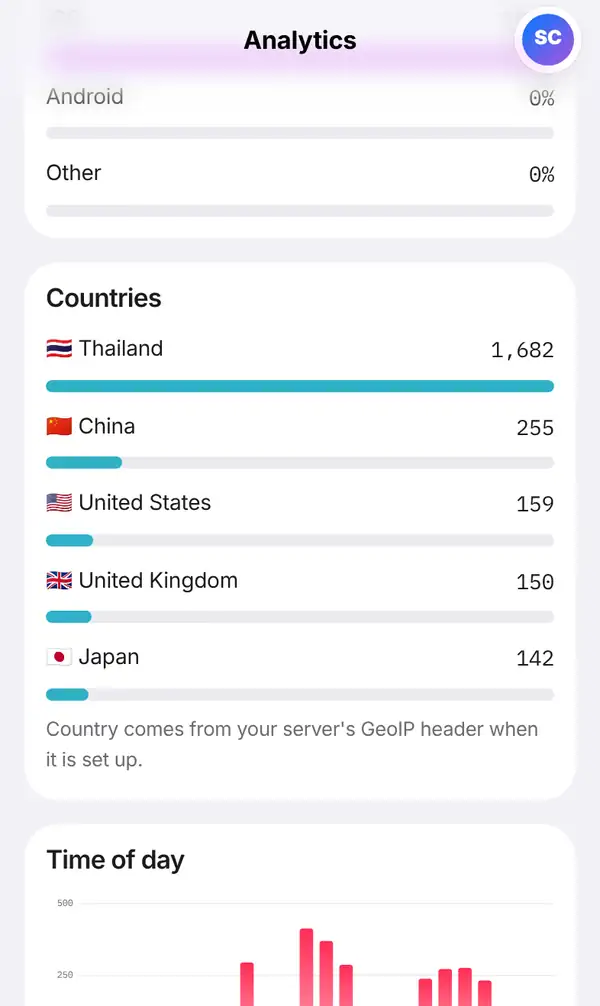
Analytics is your QR code scan statistics page, available on every plan. For each dynamic code you see:
- scans per day and how many people scanned
- devices: iPhone, Android or computer
- the time of day people scan
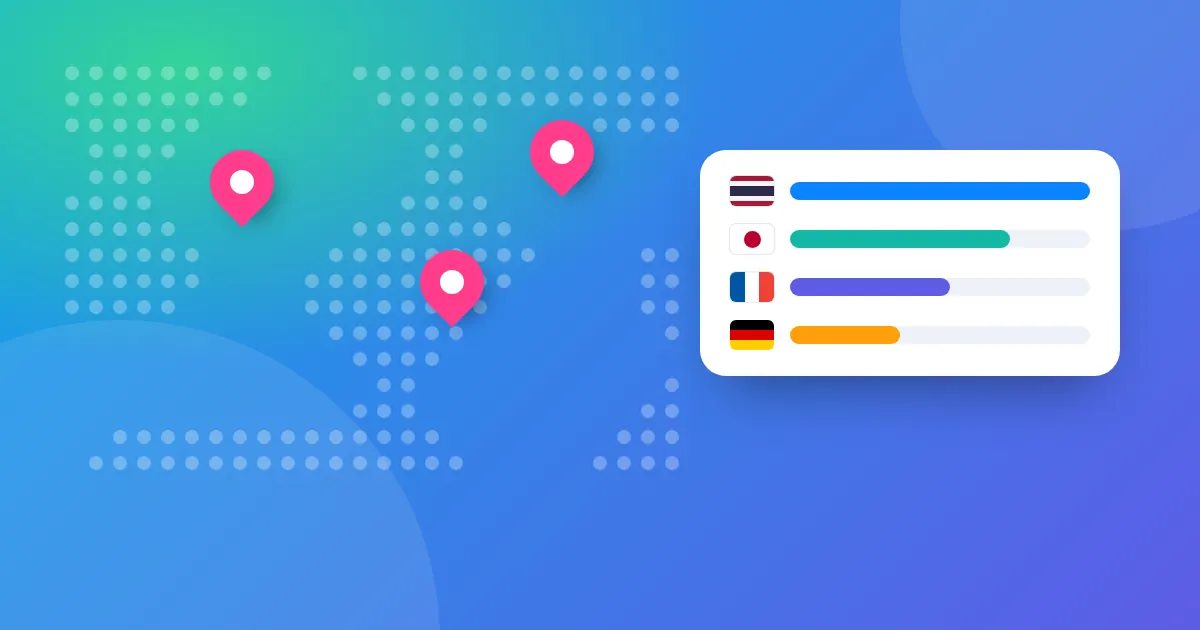
- Countries, with flags and numbers, from most to least
- date ranges, with a comparison to the previous period
Need the raw data for a spreadsheet? Press Export CSV. On Pro and Business, Share report creates a read-only report link you can send to a client or your boss, so they see the numbers without logging in.
Who tracks QR code scans by country?
- Hotels and tour shops see which countries' tourists scan the room-service menu or the tour leaflet, and adjust languages and offers.
- Exporters test a product label abroad: are buyers in the target country really scanning?
- A chain with several branches compares the same poster in different cities on the Business plan.
- Shops near a border see how many customers come from the neighbouring country.
- Businesses serving Chinese tourists check whether scans come from China, and can use QR-TH's China-ready pages for those visitors.
Respect your customers' privacy
Location data on QR-TH is grouped counts, not profiles of people. Still, be open about it. A short line on your sign or website, such as "we count scans to improve our menu", builds trust. Read more in our guide to QR code privacy and tracking.
Start tracking in 3 steps
Make a dynamic QR code
Sign up free and create a dynamic code in the QR code generator.
Put it where people scan
Print it on your poster, menu, label or leaflet, or share it online.
Open Analytics
Watch the Countries list grow, pick a date range and compare it with the previous period.
FAQ
Is QR code location tracking exact?
No. The place comes from the internet connection of the phone, so it is approximate. It is never GPS, and QR-TH never knows who scanned.
Which plan do I need to see countries?
The Countries list in Analytics is on every plan. City and country inside each scan notice and e-mail are on Business. See pricing.
Can I track a static QR code?
No. A static code goes straight to its content, so nobody can count its scans. Use a dynamic QR code instead.
Can I share the statistics with a client?
Yes, on Pro and Business with Share report, which makes a read-only link. On every plan you can export a CSV file.
Want to see where your customers are? Make a dynamic QR code and watch the countries appear. Related: QR code scan notifications.